Top 5 Features to Look for in Storage Management Software
Management Software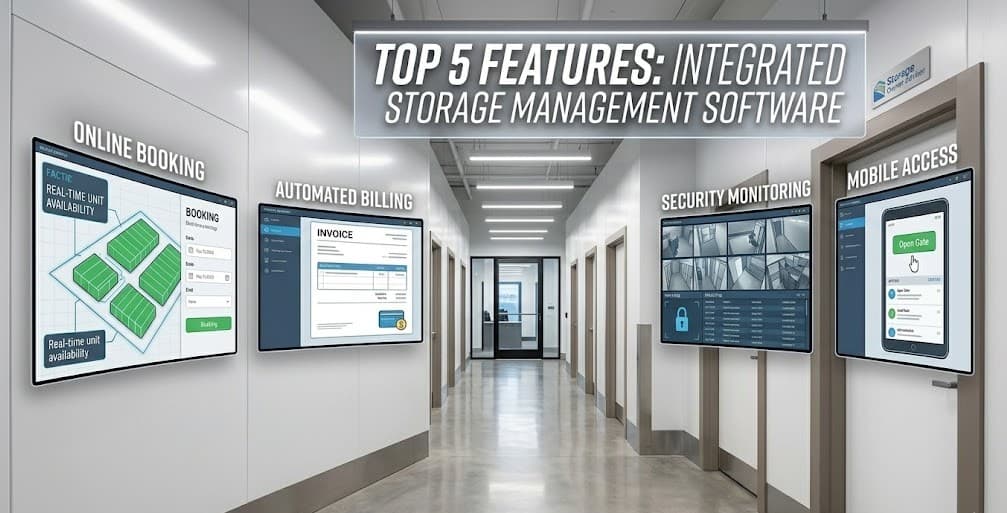
Why Your Management Software Choice Matters
Running a self-storage facility means juggling dozens of daily tasks. Tracking occupancy. Processing payments. Managing tenant communications. Staying on top of maintenance. The right management software doesn't just digitize all of that. It automates it, so you can spend your time growing the business instead of drowning in admin work.
The stakes are real. The U.S. self-storage industry is now worth $45.41 billion, with more than 50,000 facilities chasing tenants nationwide (Mordor Intelligence). The share of U.S. households using self-storage has climbed from 8.95% in 2005 to 12.60% in 2024 (Storeganise). Demand is up, but so is the competition.
Owners who switch to a modern, full-featured platform tend to save 10 to 15 hours a week on routine tasks. With dozens of options on the market, how do you know which features actually matter? Here are the five capabilities to prioritize.
1. Online Reservations and Rentals
Tenants expect to browse units, compare sizes, and rent the whole thing online, usually from their phone. If your software can't deliver a smooth online reservation flow, you're losing those prospects to the facility down the road that can.
This isn't a nice to have anymore. Public Storage reports that 85% of all customer interactions are now digital (SpareFoot). If your facility isn't meeting tenants online, you're leaving money on the table.
What to Look For
- Real-time availability: Your website should always reflect current availability without anyone updating it by hand.
- Mobile-friendly booking: The reservation flow has to work cleanly on a phone, not just a desktop.
- Automated confirmations: A tenant should get an instant email or text the moment they reserve or rent.
- Customizable pricing rules: The system should handle promotional rates, seasonal pricing, and move-in specials without you touching anything.
A strong online reservation system isn't just better for tenants. It captures leads 24/7, even when your office is closed for the night.
2. Automated Billing and Payment Processing
Chasing late payments is one of the most time-consuming parts of running a facility. Modern software should handle the whole billing cycle with almost no input from you.
Key Capabilities
- Auto-pay enrollment: Let tenants set up recurring credit card or ACH payments so rent comes in automatically every month.
- Late fee automation: The system should calculate and apply late fees according to your rules and local regulations.
- Payment reminders: Automated emails and texts ahead of due dates cut delinquency rates noticeably.
- Multiple payment methods: Accept credit cards, debit cards, ACH transfers, and in-person cash or checks. All tracked in one place.
- Lien process management: The best platforms walk you through the lien and auction process when an account gets seriously delinquent.
Facilities that switch to automated billing typically see a 15 to 25% drop in late payments within the first few months.
3. Tenant Portal and Communication Tools
A self-service tenant portal cuts down on phone calls and office visits while making tenants happier. They should be able to manage their account without having to call you.
The data backs this up. Public Storage's digital initiatives have cut labor hours by more than 30% while keeping service levels strong (Storeganise). A good tenant portal does the same kind of work for a facility of any size.
Essential Portal Features
- Account management: Tenants can pull up their balance, payment history, and lease details any time.
- Online payments: Paying should be as easy as tapping a button.
- Document access: Lease agreements, insurance certificates, and receipts available for download.
- Communication hub: In-app messaging or integrated email keeps every tenant conversation in one place and on the record.
- Move-out requests: Let tenants submit move-out notices digitally so you stop getting blindsided by surprise vacancies.
The tenant portal is also a retention tool. When managing the unit is easy, tenants stick around longer.
4. Reporting and Analytics
You can't improve what you don't measure. Solid reporting tools tell you how your facility is actually performing and let you make real decisions about pricing, marketing, and expansion.
Reports That Matter
- Occupancy reports: Track occupancy by unit type, building, and time period to spot trends as they form.
- Revenue reports: Monitor gross revenue, net revenue, and revenue per square foot to keep tabs on the financial health of the business.
- Delinquency reports: Catch problem accounts early and see how well your collection process is actually working.
- Marketing attribution: See which channels are bringing in your best tenants. Google, referrals, drive-by traffic, all of it.
- Rate management insights: See how your pricing stacks up against market rates and find the units where you could be charging more.
Look for software with visual dashboards, not just raw data tables. A quick glance should tell you how the facility is doing today.
5. Integration Capabilities
Your management software shouldn't be sitting off in its own corner. It needs to talk to the other tools and services your facility runs on.
Critical Integrations
- Gate and access control: Sync tenant access codes with your gate system so codes turn on at move-in and turn off at move-out, automatically.
- Accounting software: Export financial data cleanly to QuickBooks, Xero, or whatever platform your accountant uses.
- Website and SEO tools: Your software should power your website's unit listings and availability in real time.
- Insurance providers: An integrated tenant insurance program adds ancillary revenue and protects the business.
- Call tracking and CRM: Connect to a call tracking service so you can measure marketing ROI and actually follow up with prospects.
The more your systems talk to each other, the less data entry you have to do by hand. Fewer entries means fewer errors.
Making Your Decision
When you're evaluating software, don't just compare feature lists. Get a demo. Ask for references from facilities similar to yours. Pay attention to the quality of each feature, not just whether it's there. A clunky online reservation system can be worse than not having one at all.
Also look at the vendor's track record. How often do they release updates? What does their customer support actually look like when you call? Is their pricing transparent?
If you're ready to start comparing options, the StorageOwnerAdvisor vendor directory has a curated list of management software providers with ratings and reviews from real facility owners. Good place to start.
Looking for Management Software vendors?
Browse our directory of trusted management software providers for storage facilities.
View Management Software Vendors